Monitoring and Auditing
of Document Production

Monitor all processes relating to the creation, processing, and output of documents and track them seamlessly.

Modern, highly automated document production systems effortlessly process and send millions of messages today via a wide variety of channels. The more dynamic the processes become, the more important seamless traceability is to ensure quality, security, and control. This is essential for three reasons:

Legal requirements
demand proof

Only system-wide recording and consolidation of all communication events makes it possible to prove what content was sent, when it was sent, and through which channel.

Optimal resource
utilization

A continuous view of all production steps enables a quick understanding of the current production situation and creates the basis for data-driven decisions.

Early identification of
sources of error

Irregularities and errors can be identified even in early process phases, e.g., a delay, a failure, an SLA violation, or an unusually high error rate.

360-Degree View
on Document Production

Central bundling of process data

All relevant process data from software applications and production systems are brought together and consolidated. This creates a unified data basis.

Individual reports and dashboards

A consolidated 360° view of all systems and actions makes processes clearly traceable. This facilitates control, coordination, and optimization.

Early detection of bottlenecks and errors

Automatic warnings immediately indicate deviations – such as SLA violations, performance problems, or failures. This reduces risks, costs, and downtime.

Seamlessly track every communication

Every document is uniquely identifiable throughout its entire lifecycle. This ensures compliance with legal requirements.
Loss of Transparency

Organizations struggle with numerous data silos: mergers, heterogeneous systems, and outsourced services fragment communication data. As a result, companies can often hardly answer fundamental questions, such as:

  • Can we prove, in the event of an audit, that a mandatory notification was sent on time?
  • Which template was used? And was the document changed, and if so, by whom?
  • How many customers had to be additionally contacted by post after an unanswered email – and what costs were incurred as a result?
  • Are we working efficiently or is there potential for optimization?
Omnichannel Kommunikation - Customer Communications Kanäle (Cloud, Email, SMS, Brief,...)

DocBridge® Auditrack links all communication events via a unique identifier.

This makes it possible to seamlessly trace the complete path of a message – from creation and dispatch to the response.

DocBridge Auditrack    Request demo here

Request a Demo
x
icon
Schedule a demo with a Compart product expert

Dissolve communication silos. 
Trace every communication.

Cross-System Evaluation
Search and Analysis
Automated Reports
Widgets and Dashboards
Intelligent Alerts
Role and Rights Management
Cross-System Evaluation

Cross-system evaluation of all communication events

DocBridge® Auditrack collects and consolidates all events that arise along the document production line: from input files, processing steps, events, print jobs, and shipping channels, to output files. The software provides these events in a structured way and allows for both simple and complex queries to transparently map production chains. This enables complete traceability of all communication and manufacturing processes down to the document or shipment level.

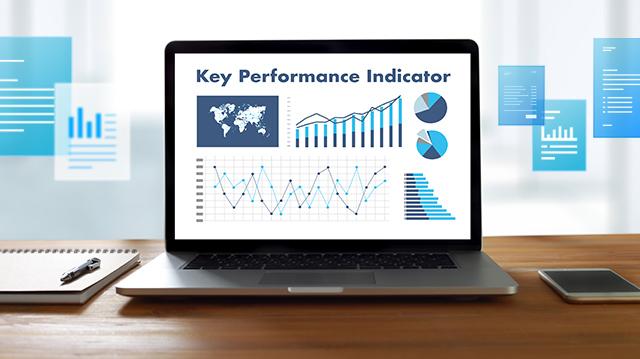
KPI Monitoring für Dokumente - Dokumentenmanagement
What advantage does the cross-system evaluation of all events offer?
  • It makes distributed log and process data evaluable.
  • It creates end-to-end transparency across the entire production line.
  • It enables consistent analyses without data breaks.
  • It facilitates audits, error analyses, and regulatory evidence.
Search and Analysis

Flexible search and analysis functions

With the simple search, typical questions such as tracking a batch, a shipment, or a document can be mapped. Filters, criteria, and aggregations can be defined via the GUI.
The advanced search is available for more demanding analyses. It allows queries in SQL, JavaScript, or Groovy, so that data can be freely modeled, transformed, and output in tabular or JSON format. Complex calculations such as SLA analyses, production statistics, or time-based evaluations can also be flexibly implemented with it.

Which search and analysis functions are possible?
  • Standard searches (shipment, batch, document) via GUI.
  • Filters, criteria, and aggregations can be defined without programming.
  • Advanced queries (SQL, JavaScript, Groovy) enable in-depth analyses.
  • SLA checks, time comparisons, or production statistics can be implemented individually.


Blockchain Authentizität und Nachweisbarkeit im Dokumentenmanagement
Automated Reports

Automated Reports and Documentation

DocBridge® Auditrack makes it possible to prepare any queries as reports – for example, in PDF, HTML, XLS, or CSV. These reports can be viewed directly, saved, versioned, or generated automatically on a regular basis. Schedules can be freely designed using Cron definitions, so that periodic reports (daily, weekly, monthly, or individually triggered) can be automatically distributed to defined recipients.

Monitoring in der Dokumentenproduktion - automatisiert Dokumente überwachen
Widgets and Dashboards

Widgets and Dashboards for Real-Time Visualization

For a quick understanding of the production situation, DocBridge Auditrack offers a variety of graphical analyses. Results of queries are displayed as widgets (e.g., bar charts, timelines, histograms, donuts, gauges). These widgets can be flexibly combined, grouped, and integrated into dashboards.
This creates a clear visual control center that shows current production figures, workloads, error indicators, or channel distributions in real time. Decision-makers and specialist departments can make data-driven decisions without having to sift through raw data.

Daten und Dokumente im Repository zentral speichern und analysieren
How do widgets and dashboards help with real-time visualization?
  • They translate complex data into understandable graphical elements.
  • They show workloads, errors, and process statuses in real time.
  • They support specialist departments and decision-makers with clear action signals.
  • They enable individual dashboards as a central control view.

     
Intelligent Alerts

Intelligent Alerts and Proactive Monitoring

A central element of DocBridge® Auditrack is the ability to configure alerts based on defined key figures or query results. If a threshold is exceeded – such as a delay, a failure, an SLA violation, or an unusually high error rate – the system automatically triggers a notification.
Alerts can be delivered via the portal or email and can be flexibly scheduled or subscribed to. This creates a proactive monitoring system that detects problems before they have noticeable effects on production.

Auditing - Analyse der Dokumente bzgl. Prozess, Workflow und Performance
Why are intelligent alerts and proactive monitoring essential?
  • Problems are detected before they impact production.
  • Thresholds and rules automate the monitoring of critical processes.
  • Notifications via portal or email immediately reach the relevant people.
  • SLA violations, failures, or error rates become visible early on.


Role and Rights Management

Role and Rights Management for Maximum Security

The software offers comprehensive user, role, and group management. Administrators can precisely control who is allowed to view, edit, or share which searches, reports, alerts, or dashboards. Access control to events, data sources, and system functions can also be regulated granularly.
These governance mechanisms ensure that sensitive production and customer data remain protected at all times and that only authorized persons can access the respective content.

Realtime-Reporting im Druck und Monitoring des Dokumenten-Workflow-Status
How does the rights and role management work?
  • Through a clear assignment of users to roles and groups with defined permissions.
  • Through granularly controllable access rights to searches, reports, dashboards, event data, and system functions.
  • Through differentiated release mechanisms that ensure only authorized persons can view or modify sensitive content.
  • Through integrated governance functions that ensure compliance, auditability, and data security.

What is important?

Data Quality

Data Quality

Only clean, complete, and consistent event data enable reliable analyses and decisions.

Cross-System Transparency

Cross-System Transparency

A continuous view across all systems creates transparency, minimizes risks, and shortens response times.

Traceability

Traceability

Every action, every process step, and every event must be clearly verifiable to securely cover compliance, audits, and complaints.

Security

Security

Role and rights concepts must ensure that sensitive production and customer data are protected and used in a traceable manner.

Application Scenarios

1 360-Degree Monitoring of Production
2 Cost Control through Evaluation of the Right Key Figures
3 Alert System for Exceeding Predefined Thresholds for Indicators
1 360-Degree Monitoring of Production
Goal

To create a fully transparent production chain in which every file, every processing step, and every output is traceable at any time.

Challenge

Existing query and reporting systems are often too inflexible to map complex process chains. Data is scattered across different systems and log sources, and important information from upstream or downstream process steps is often missing, meaning no complete overall picture is created.

Solution

DocBridge Auditrack consolidates all events centrally, connects process steps contextually, and enables real-time transparency and complete traceability down to the document and shipment level.


2 Cost Control through Evaluation of the Right Key Figures
Goal

To precisely identify, control, and optimize costs in document production – from production volume to process inefficiencies.

Challenge

Without uniform key figures and meaningful analyses, cost drivers remain invisible, and strategic decisions are too often based on estimates rather than facts.

Solution

With flexible queries, individual KPIs, and meaningful production statistics, Auditrack clearly shows where costs arise and which measures lead to efficiency and savings.

3 Alert System for Exceeding Predefined Thresholds for Indicators
Goal

To detect disruptions, SLA violations, or rising error rates early and be able to react immediately, before they impair production.

Challenge

Manual monitoring is error-prone and far too slow to identify critical deviations in time.

Solution

Auditrack automatically monitors defined indicators, triggers alerts when threshold values are exceeded, and informs responsible persons via the portal or email for immediate action.

Compart: Your Provider for Meaningful Auditing in Customer Communications

Auditing und Monitoring von Dokumenten und Prozessen
Put Audit to Work for Greater Agility

How can businesses keep track of the document production to meet regulatory obligations? Find out more about transparency in document production.

Why Compart?

Expertise for data streams of all kinds

Struggling with digital transformation? Benefit from our over 30 years of experience transforming documents and print data streams

Innovation

High-performance solutions for modern Omnichannel Output Management and Customer Communication Management (CCM)

Trendsetters and Partners

Member of committees for the standardization of customer communication processes (AFP Consortium, PDF Association, Doxnet, Bitkom)

Reputation

More than 1,500 customers in almost 50 countries

Solutions

Get the Answers
and Solutions You Need